
The Six Building Blocks That Turn AI Users Into Builders
Go from typing prompts to designing systems. Here's what you need to know to lead with AI.

You've been using AI for months now.
You know how to prompt.
You've spent time figuring out and using your tool's features.
You may even be getting better results than the rest of your team.
But you're starting to feel disillusioned.
You're working harder with AI than you expected to be by now.
Is this all AI has to offer?
Meanwhile, you're watching other people absolutely crush it with AI.
They're shipping faster.
Building things that seem impossible.
Creating leverage you can't figure out.
And you're wondering: what do they know that I don't?
Here's the secret:
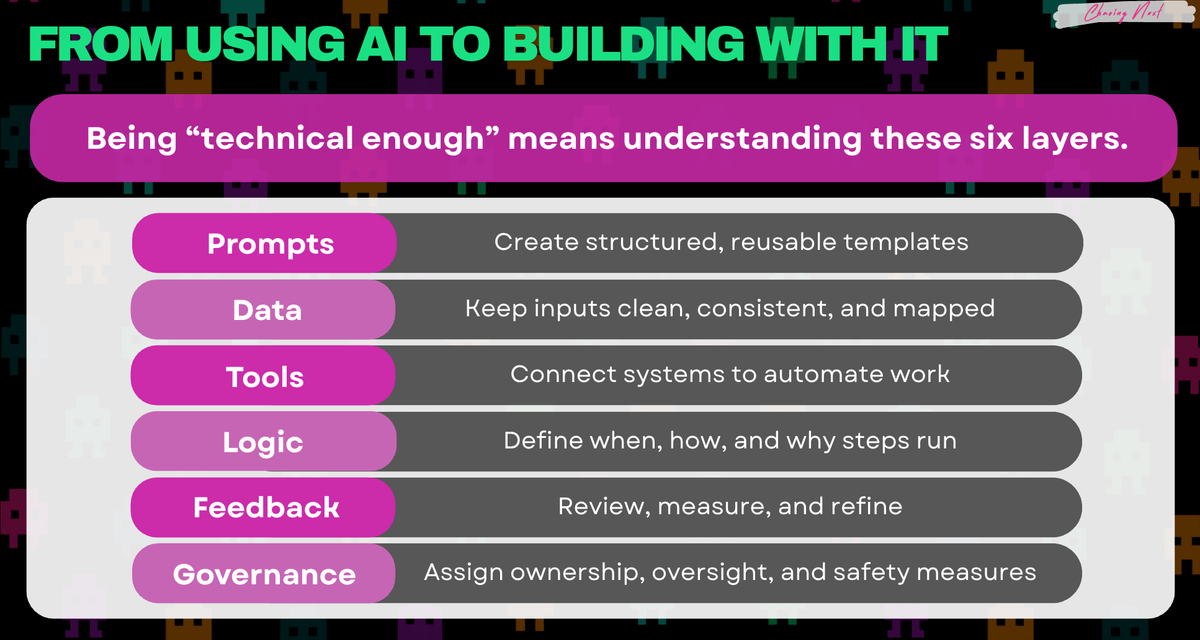
You learned how to use AI. They learned how to build with it.
I Was Stuck in the Same Place
I was focused on getting the next output and didn't realize I was trapped.
Then something shifted when I started building small workflows in no-code automation tools Make and n8n.
Nothing fancy, just connected a few tools.
And it hit me: AI doesn't have to stay in a chat window, it can run entire processes.
From there I started vibe-coding sites and apps.
Not because I suddenly became an engineer... far from it.
But it helped me unlock a totally different understanding of what AI can do outside of everyday chat interfaces.
Learning how to use AI chat features makes you productive.
But learning how to build AI systems is what sets you apart.
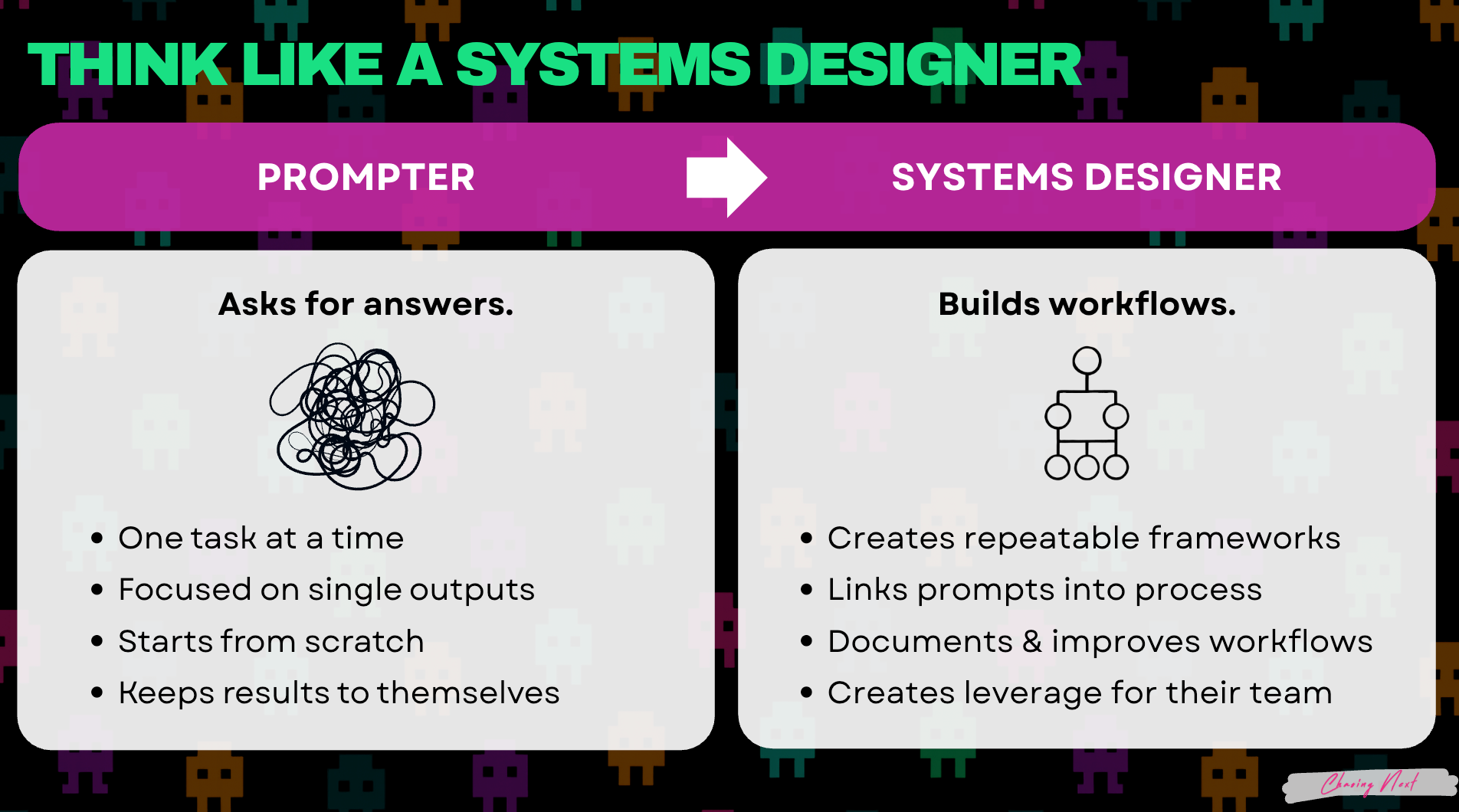
Here's what you need to know to become a builder:
The Six Building Blocks of AI Systems
Once you see these six building blocks, you can't unsee them.
When you understand them, your brain shifts from:
- User: "Can AI do this?"
- Builder: "How do I connect these pieces to make this work?"
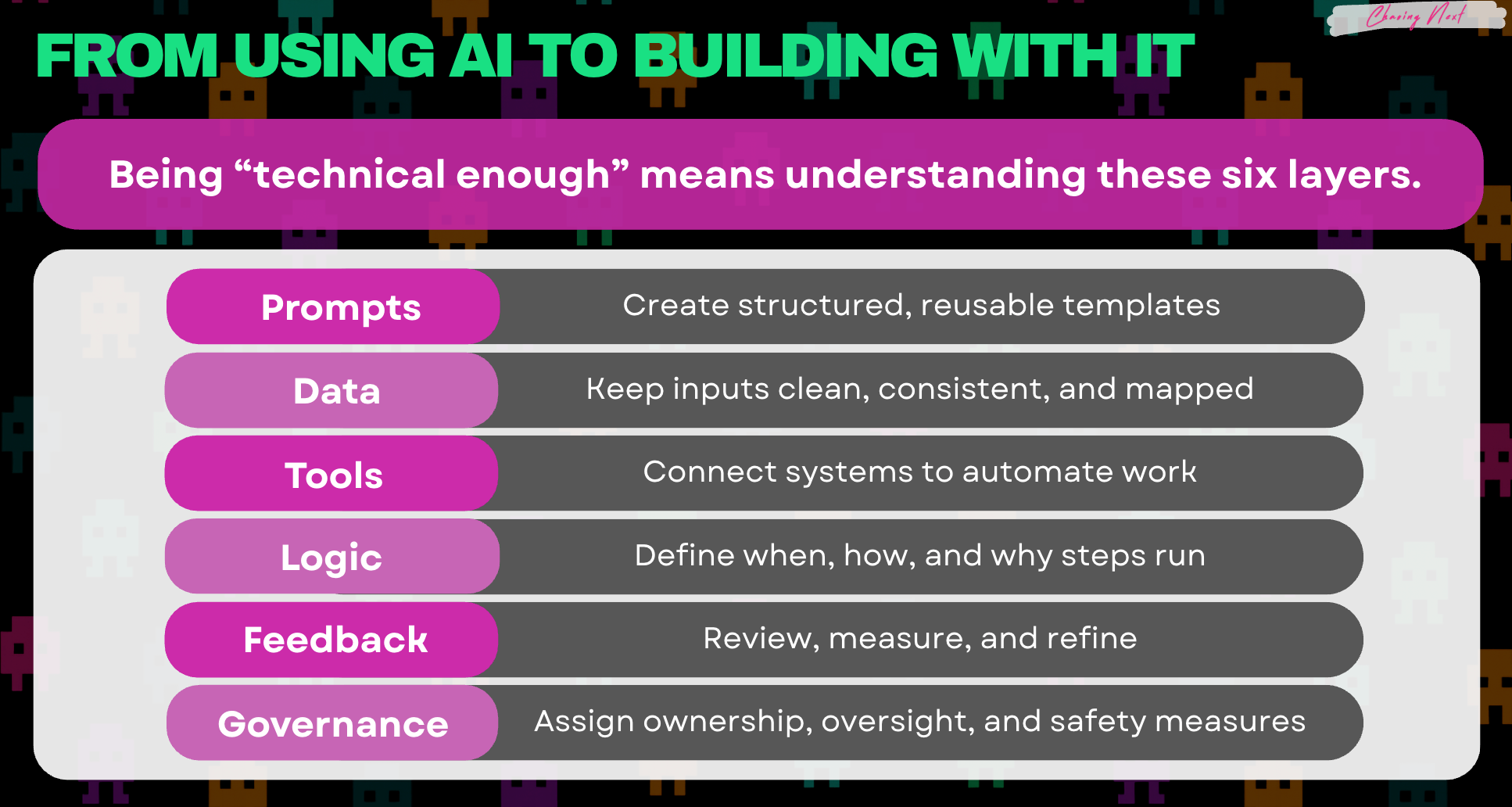
Here's what each one does:
1. Prompts
Design instructions that work every single time.
When you're building a system, prompting works differently than one-off tasks.
You're no longer having a back-and-forth conversation.
Instead, you're designing structure that works consistently.
When a prompt has structure, it can be fed data, plug into an automation, run on a schedule and it can be handed off to others.
It works the same way today or six months from now. Whether you run it or someone else does.
Structured prompts are how you escape the chat loop.
2. Data
Clean inputs, consistent outputs.
Your AI is only as good as what you feed it.
But if you organize it (same fields, clean categories, mapped to where it needs to go) suddenly AI can spot patterns, flag issues, and surface insights automatically.
Clean data means: Same field names, stored in one place, mapped to where it goes, and funneled into your prompt.
3. Tools
Connect everything so AI can actually DO something.
Tools are your CRM, email, calendar, project manager, etc.
All the apps and platforms you already use.
When you connect them, AI becomes your connective tissue between steps, enabling processes that don't rely on people.
This is how AI stops being a chat window and starts being infrastructure.
4. Logic
The rules that make it run on autopilot.
Logic is the difference between a tool and a system.
It's the "if this, then that" behind everything.
Logic defines: When it triggers. What happens first, second, third. What the conditions are.
Without logic, you're still doing the work manually.
5. Feedback
Review, measure, and refine.
Systems don't magically work.
Data gets messy, prompts stop matching reality, logic misses edge cases, tools update and break....
Drift kills systems and feedback catches it.
This is what keeps your system working and productive months from now.
6. Governance
Who owns the system, maintains it, and who's accountable.
Every system needs accountability.
Are you using approved tools? Following safe data practices? Who's responsible if it breaks?
Governance is what makes your system trustworthy enough to scale.
Start Thinking Like a Builder
Pick one workflow you want to redesign.
Answer these questions:
- Prompts: What instructions does AI need to handle this consistently? Write the template.
- Data: What information does this need? Where does it live? Is it clean?
- Tools: Which apps need to talk to each other? What needs to connect?
- Logic: What triggers this? What happens first, second, third? What are the rules?
- Feedback: How will you know if it's working? What will you measure?
- Governance: Who owns this? Who has access? Who's accountable?
Answer those and you've just designed your first AI system.

Not a subscriber yet? Join here for weekly insights on AI, strategy, and the changing workplace.
Found this useful? Forward it to a teammate who’s figuring out AI too.