How to Set Up Manus AI Agents in <15 Minutes (For Beginners)
Made for non-technical people. Learn, step by step, how to use Manus to complete research, process, and other strategic tasks.

Everyone's attention is still on Claude Code (here's my guide from last week).
And Anthropic's latest exciting and underwhelming release, Claude Cowork.
AKA Claude Code with a marketing spin, "repackaged" with limited functionalities for everyday users.
I'll cover Cowork when it truly becomes a tool designed for non-technical people.
But for now, I want to introduce you to a tool that provides immediate value.
That tool is Manus.
Its an agent that does heavy lifting beyond what chat can do.
Plus, it's a lot easier to get going than Claude Code.
I'm talking incredibly simple for the average person to pick up.
Despite being around a while, Manus hasn't had the same hype as other tools.
But that's not a reason to look away.
Manus is worth serious attention if you want to get the most out of today's AI.
This guide will show you how to get started in less than 15 minutes.
In This Guide
What is Manus?
An autonomous AI agent that works in your browser.
Once it knows your goal, it plans and executes multi-step workflows with limited supervision.
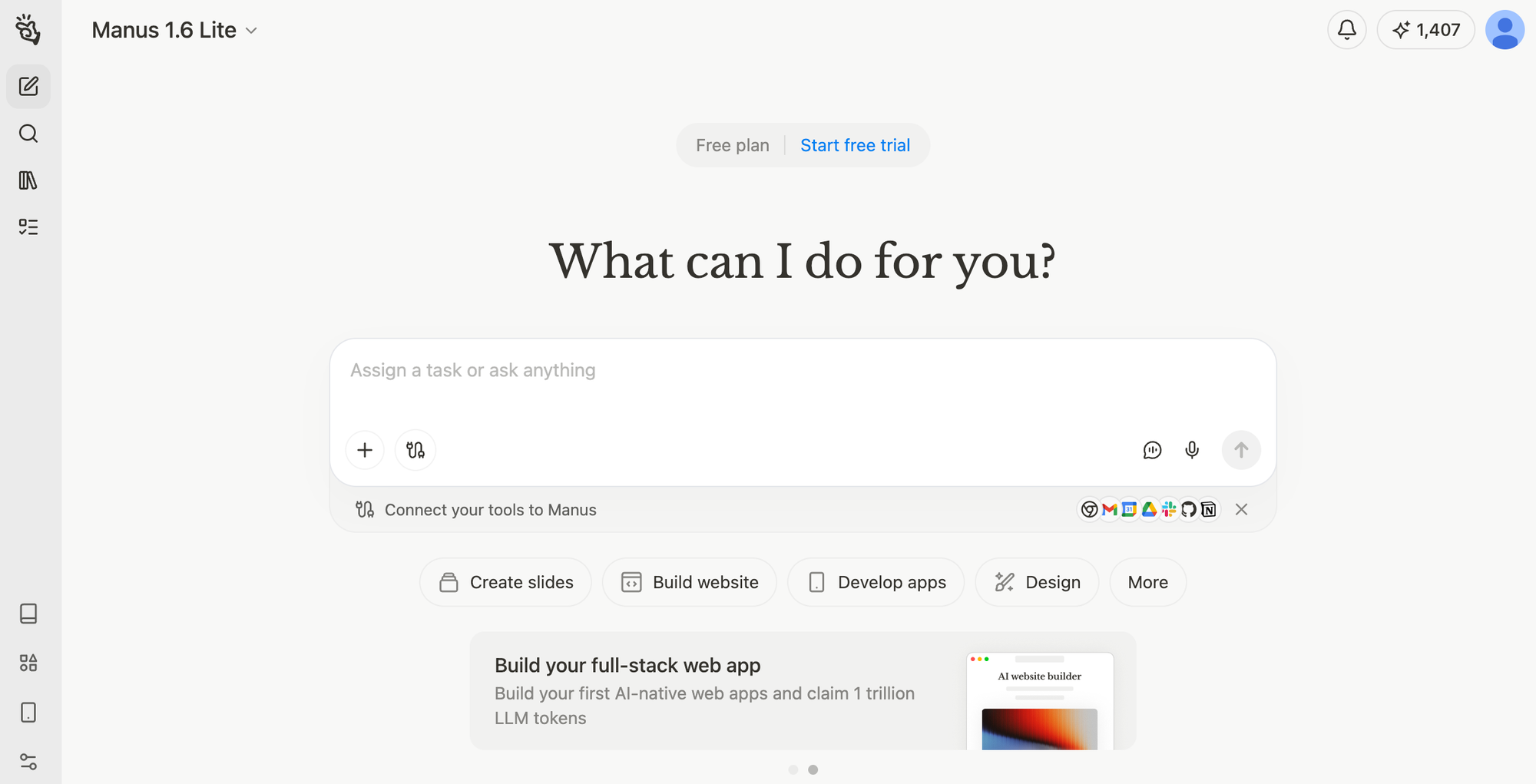
It can:
- Browse the web (view sites, click buttons, fill out forms)
- Gather info (scrape online content, clean it up, format it)
- Analyze data (summarize insights, check for errors, build dashboards)
- Create and edit files (reports, spreadsheets, slides, images, audio, etc.)
- Connect with tools (access your gated tools, connect to everyday tools)
While standard chatbots help you think, Manus can do both the thinking and the execution.
The interface is comparable to chatbots you're familiar with, but it separates itself with its ability to act.
Manus is a Singapore-based company that launched March 2025.
They don't have a proprietary AI model.
Instead, they run Claude 3.5 Sonnet and Opus, as well as fine-tuned versions of Alibaba's Qwen models to execute tasks.
Its power lies in its tool-calling; It knows how to move beyond theory and use tools and features to get work done.
Recent Developments
You might be hearing about Manus more now. Here's why:
1. The Meta Acquisition ($2 Billion)

Meta acquired Manus for $2 billion in December 2025.
Scooping up Manus gave them:
- A proven execution layer for AI agents
- Millions of paying users already on the platform
- A working subscription business model
Meta plans to integrate Manus across Facebook, Instagram, and WhatsApp.
They also stated they'll keep Manus operating independently too.
2. Revenue & Validation

Manus hit $100 million in annual recurring revenue eight months after launch.
A sign of users finding genuine value from the tool.
It's one of the fastest startups to hit that milestone.
3. New Integrations & Features

Manus keeps shipping practical integrations:
- Similarweb (Jan 2026): Agents can access 12 months of web traffic and market intelligence data for competitive analysis
- Slack (Oct 2025): Trigger agents from Slack, collaborate on runs with teammates, share outputs in-channel
- Notion (Nov 2025): Read/write Notion content
- Stripe (Nov 2025): Set up payments and configure products
- Browser Operator (Nov 2025): Navigate in your logged-in web apps
While there hasn't been a major viral moment, the tool is stacking wins and has quietly proven its worth as (in my POV) the best mainstream agent.
Why Non-Technical People Should Care
This is the challenge most people face with AI tools right now:
Chatbots are great at helping you think through tasks, but you still have to click, copy/paste, and implement everything yourself.
Coding (and vibe coding!) tools are powerful, but require an understanding of technical aspects to create legit products.
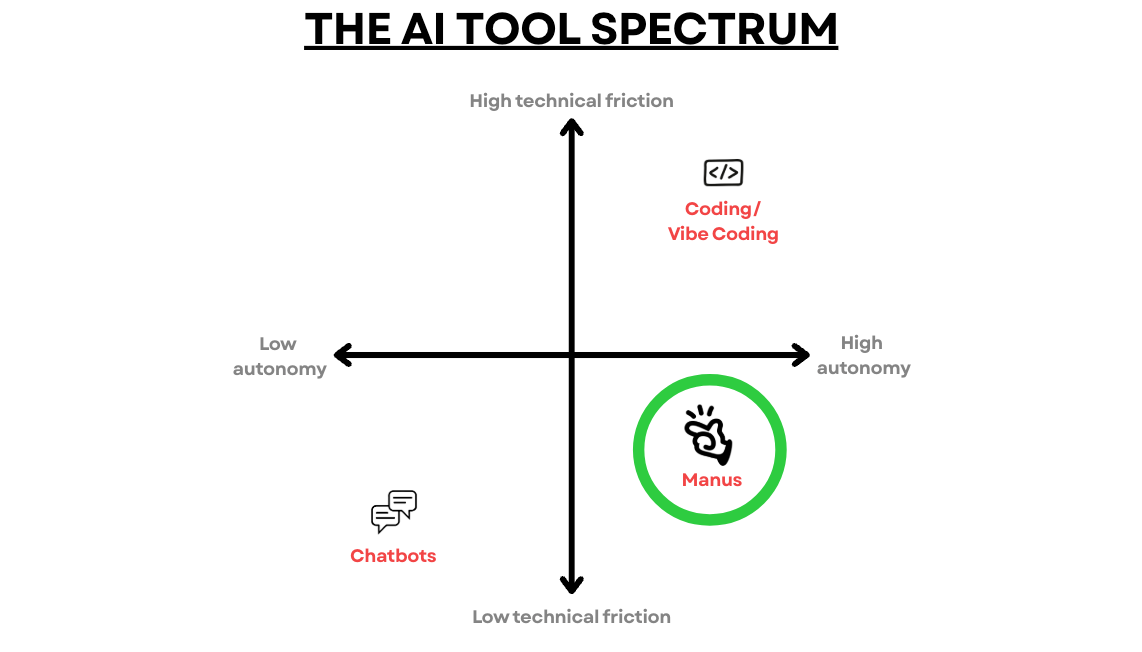
Manus sits in the middle.
It does autonomous work without the technical friction.
→ It's Easier Than Claude Code
It's more approachable for the everyday user.
It gives you the power of an AI agent without making you feel like a developer.
You don't need to understand things like folders, repositories, or file structures.
No complex setup process or lengthy learning curve.
→ It Works Where You Do
It operates directly in your browser and through its apps.
Since it can browse the web, it can log into the tools you already use.
From there, it can coordinate work across platforms with connections to apps like Google Workspace, Canva, Slack, Notion, and Stripe.
This means it can execute complete processes (searching, gathering, analyzing, creating).
→ Real-Time Web Access
Unlike chatbots with knowledge cutoffs, Manus accesses live info on the web.
It can source current pricing, news, competitor data, and market trends.
It is a powerful research partner that is more dynamic than Deep Research tools because it can act on the information it compiles.
→ Produce Valuable Deliverables
Instead of suggestions to implement yourself, Manus gives you completed work:
- Comparison spreadsheets that are ready to use
- Research reports you can send to teammates
- Competitive analysis docs with actionable insights
- Data visualizations and dashboards
- Strategic frameworks ready to execute
Instead of copying and pasting between a chatbot and your tools, Manus is a great way to take some work off your plate.
How To Access Manus
Good news, you can access Manus totally free.
And the free plan gives you enough credits to get pretty far.
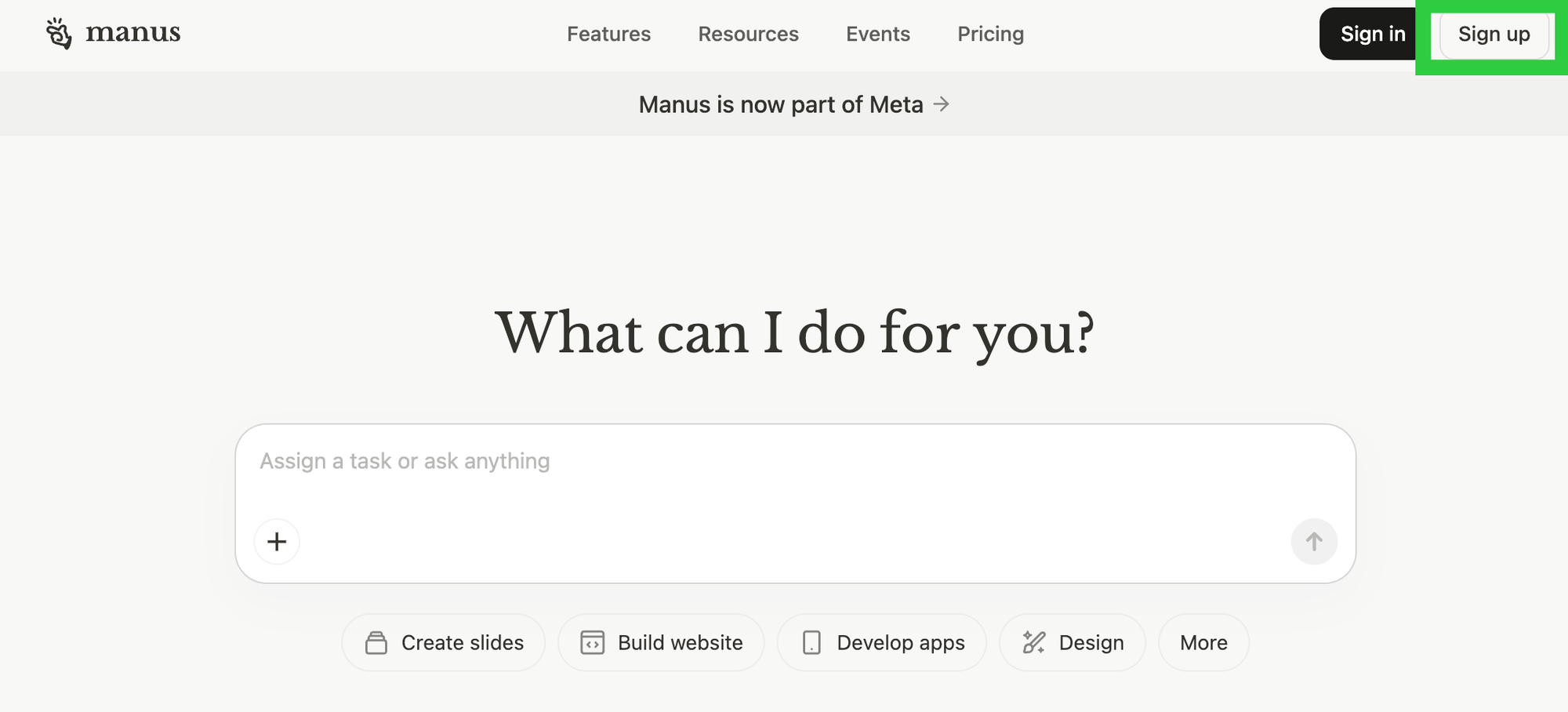
Signing Up (Free to Start)
Visit manus.im and create an account.
- Sign up with Google, Microsoft, Apple, or email
- This will get you access immediately through its web browser
Access Options:
You can use Manus on:
- Web browser - manus.im (easiest)
- Mobile app - iOS and Android
- Chrome extension - Manus Browser Operator
- Desktop app - Windows only
Understanding Pricing:
Manus uses a credit-based system.
Tasks consume different amounts of credits depending on complexity and data volume.
Free Plan:
- 1,000 starter credits
- 300 daily refresh credits
- Perfect for testing and simple tasks
- No credit card required
If you use Manus regularly and moderately, you should be able to get value without paying.
That said, once you start building out workflows and using it for bigger tasks, you may need to cough up.
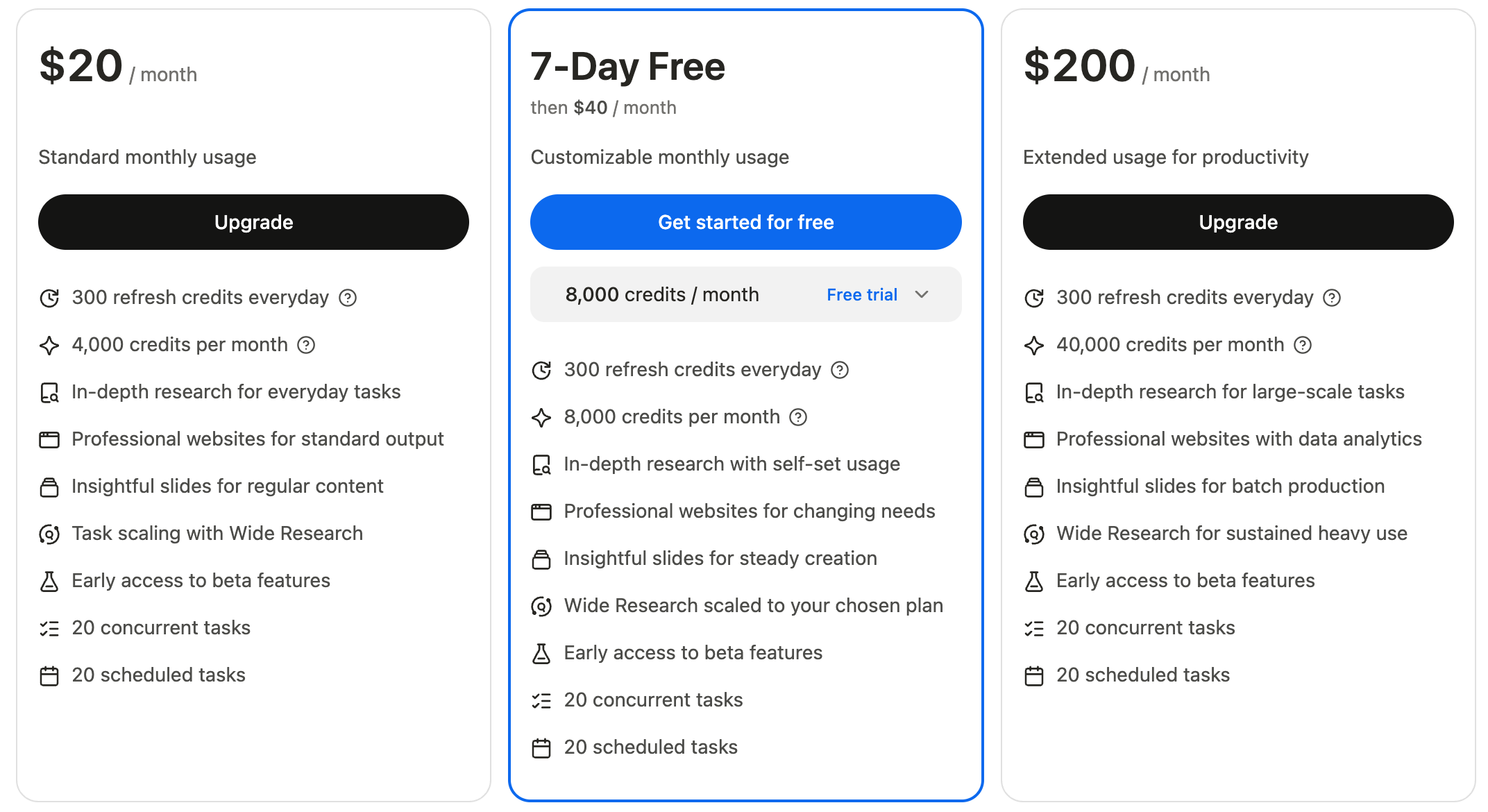
Paid Plans (If You Hit the Limit):
| Plan | Cost/Month | Credits/Month | Best For |
|---|---|---|---|
| Basic | $20 | 4,000 | Simple use & automation |
| Plus | $40 | 8,000 | Regular automation |
| Pro | $200 | 40,000 | Heavy users |
| Team | $40/member | 4,000/member | Organizations (min 4 members) |
Credit Consumption Examples:
- Simple research task: 50-200 credits
- PowerPoint presentation: ~140 credits
- Research report: 200-1,000+ credits
- Website builder: 500-1,500 credits
- Data analysis with dashboard: 1,000-3,000+ credits
How to Get Started in <15 Minutes
Ready? Here's the dead-simple process.
- Start with the free plan.
- Once signed in, you'll land on the dashboard.
- You can check your credits and plan on the top right.
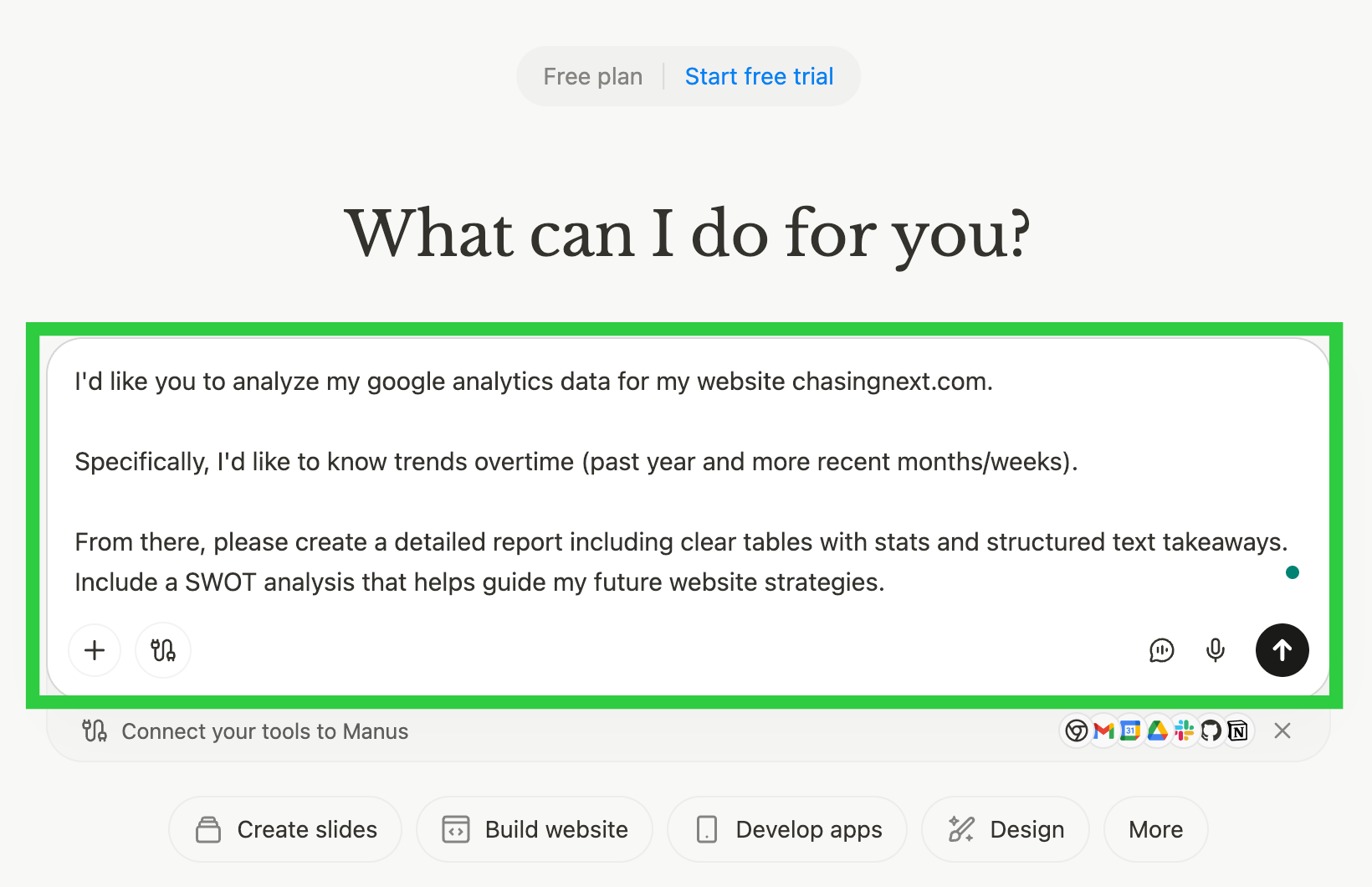
- Be specific here.
- If you want it to complete tasks using tools, request it directly.
- Lay out the exact steps you want it to complete if they're strict.
- Structured prompting strategies will get you a long way.
- Collaborate to align on the project plan.
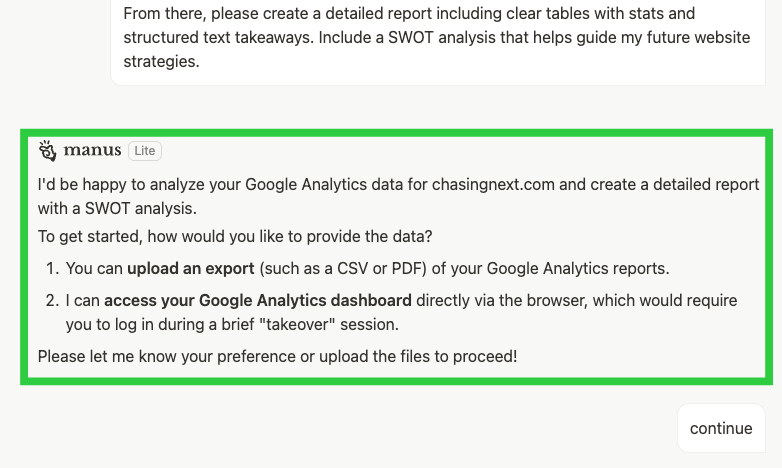
- Manus won't need access to your tools/data for every task.
- As needed, there are a few options for access:
(A) Connectors: See below.
(B) Browser Access: See below.
(C) Manual Upload: For data or offline info. Avoid if possible.
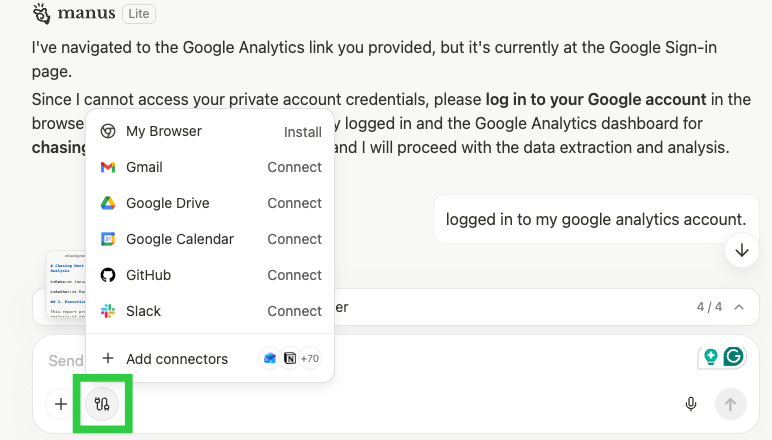
- Click the plug button on the left side of the chatbox.
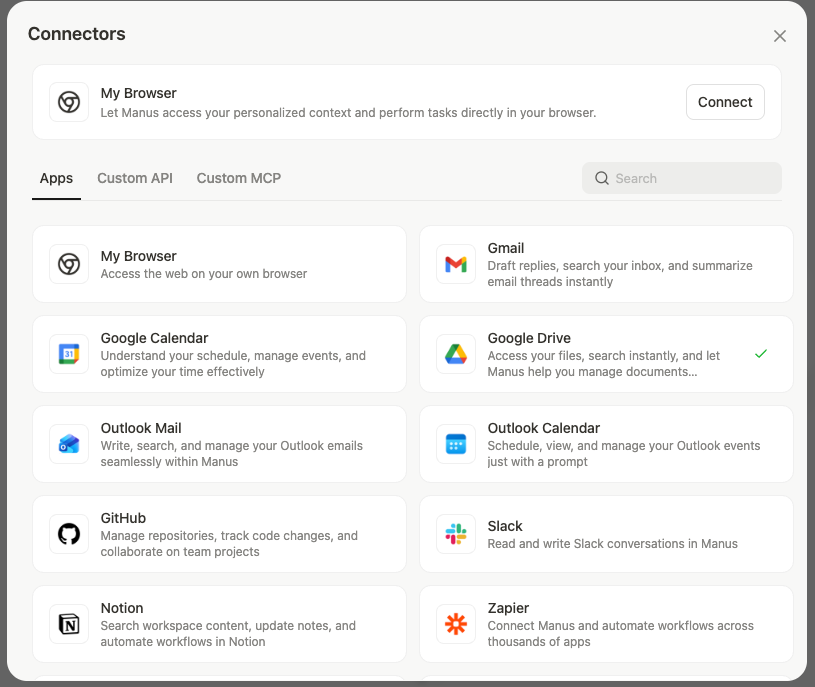
- Select app or browse available apps by clicking "Add connectors".
- Link account by logging in and granting permissions.
- You can also add tools via MCP or API (more complex).
If you work at an organization, be mindful of your data-sharing policies.
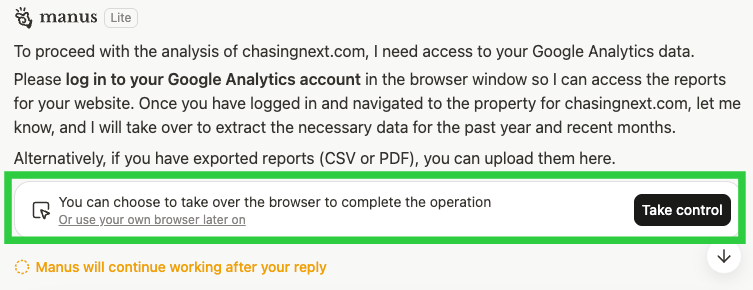
- If Connectors aren't available, Manus can use the browser.
- If aligned, click "Take Control" to log in to your tool's account.
- Manually enter your username + password.
- Then click "Hand Control Back."
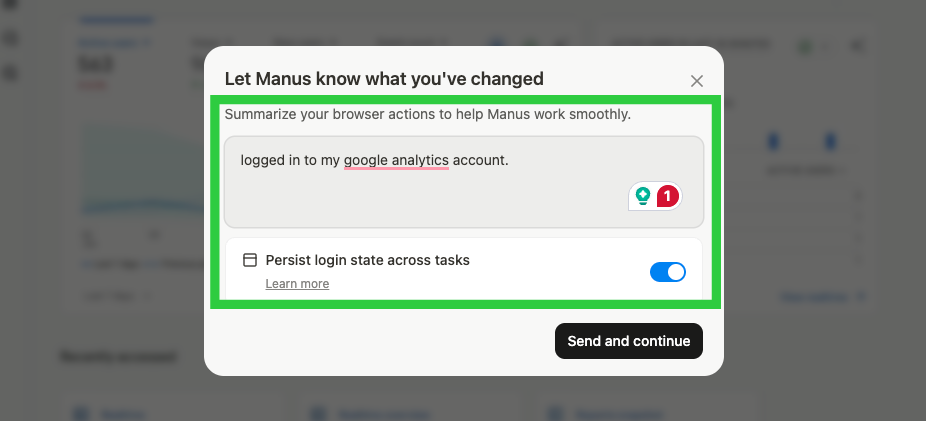
- Let Manus know the updates (ex: "logged into my account.")
- Toggle on "Persist login state" to reduce future manual logins.
- Press "Send and Continue" button to give back control.
If you work at an organization, be mindful of your data-sharing policies.
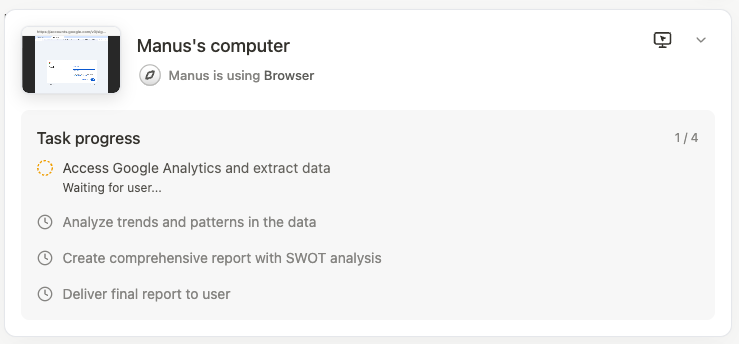
- Once you approve the plan, Manus will work through the task.
- You'll see: Real-time progress and a task breakdown.
- Click the "Manus's Computer" image if you want to watch.
Complex tasks can take 10+ minutes. If you close your browser, Manus will keep working. If you have notifications set up, it will alert you when it's done.
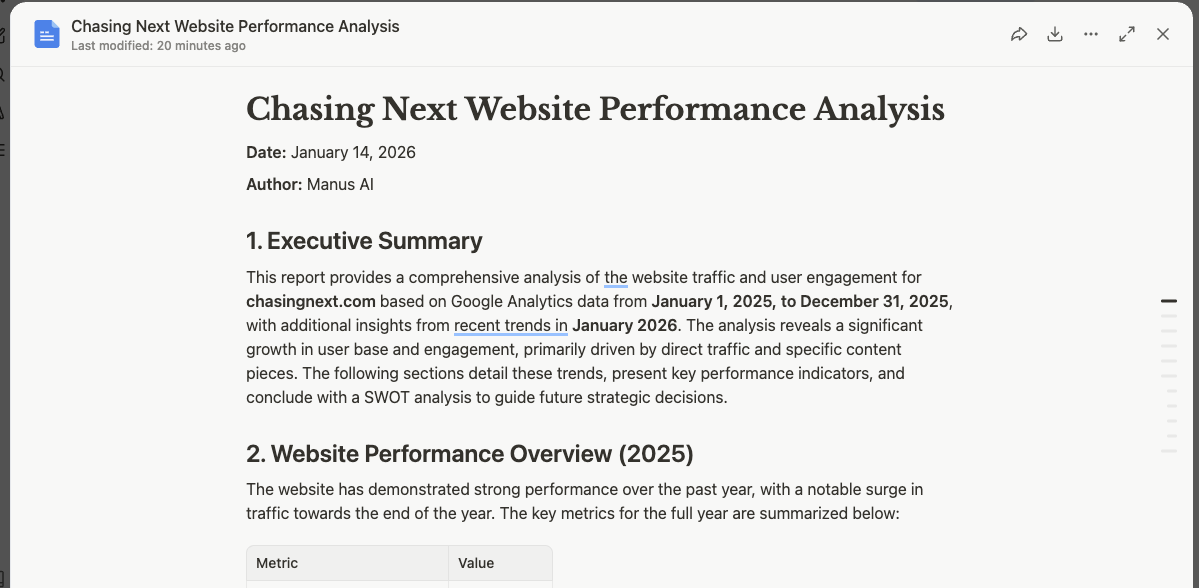
- Check the output. Provide feedback or next steps if needed.
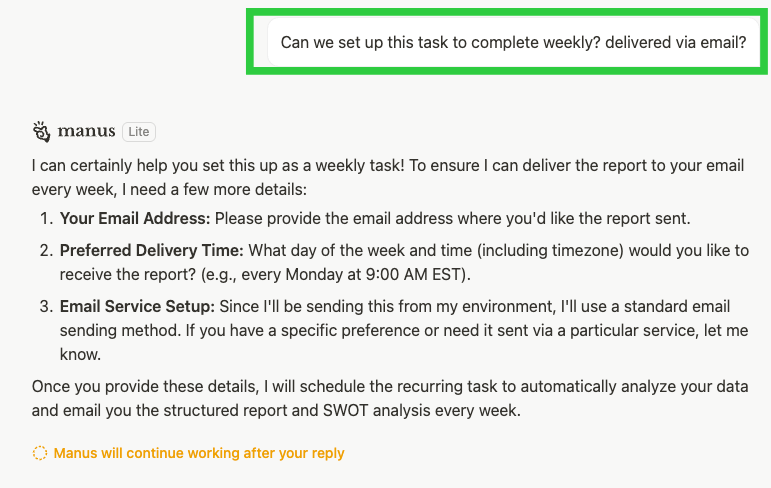
- Ask to complete the task on your cadence or on specific dates.
- Request how you want it delivered (ex: via email).
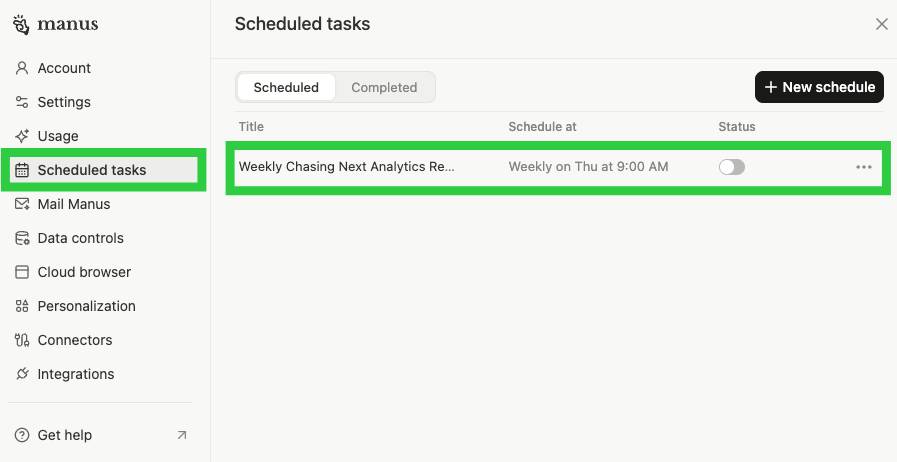
- Provide date/time for future task completions.
- View or edit "Scheduled Tasks" in Account > Scheduled Tasks.
The next sections have a few tips for getting more from Manus.
When to Use Manus (vs Other Tools)
Manus is a great tool, but it's not the right tool for everything.
Here's where it shines and when to reach for something else:
Manus excels at:
- Multi-step research requiring live web access
- Competitive intelligence and market research
- Data analysis and visualization
- Report generation from multiple sources
- Tasks requiring agent routine agent work (set and forget)
- Deliverables needing structured outputs (dashboards, reports)
- Preparing for client briefings and discovery docs
- Content research and ideation
Use other tools for:
- Quick text generation and instant responses (chatbots are faster)
- Simple Q&A or brainstorming
- Complex code iteration and refinement (Claude Code is better)
- Creative writing (Manus runs old models, Claude is better)
Getting The Most Out of Manus
Once you've run a few tasks, here's how to level up.
→ Start With Wide Research
This tool is awesome for data extraction or market, academic, and competitive research.
It's Manus's way of handling tasks that need to process similar items.
Ex: If you're researching 50 companies or generating 20 pieces of content.
It spins off agents to independently research each item.
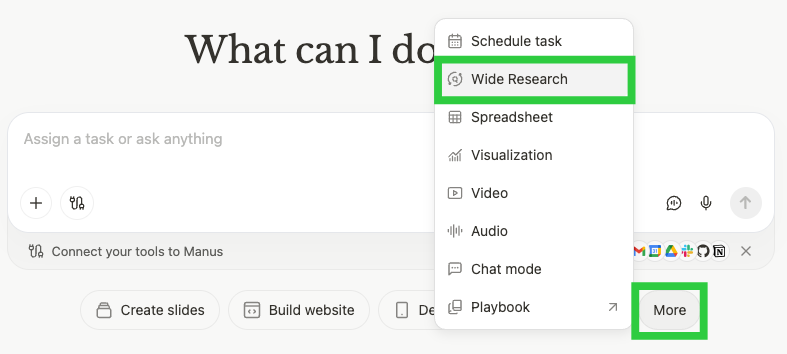
Examples:

Pro Tip: Run Wide Research at the start of projects. The context it builds will make work downstream better.
→ Turn Reports Into Slides
After Manus generates a report, ask it to turn it into a presentation.
- Choose from pre-styled themes
- Include charts from your data
- Edit text and layout in the slide builder

Example:
“Turn this research report into a 20-slide conference presentation for a technical audience. Include key charts and add speaker notes.”
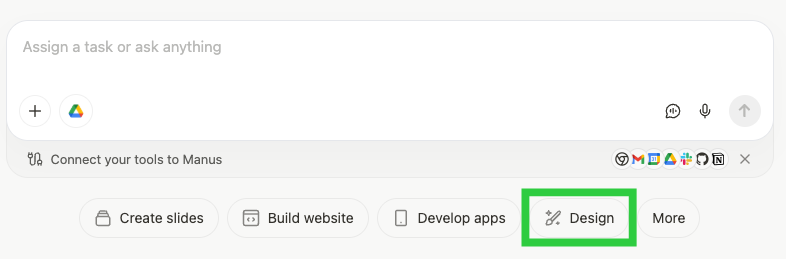
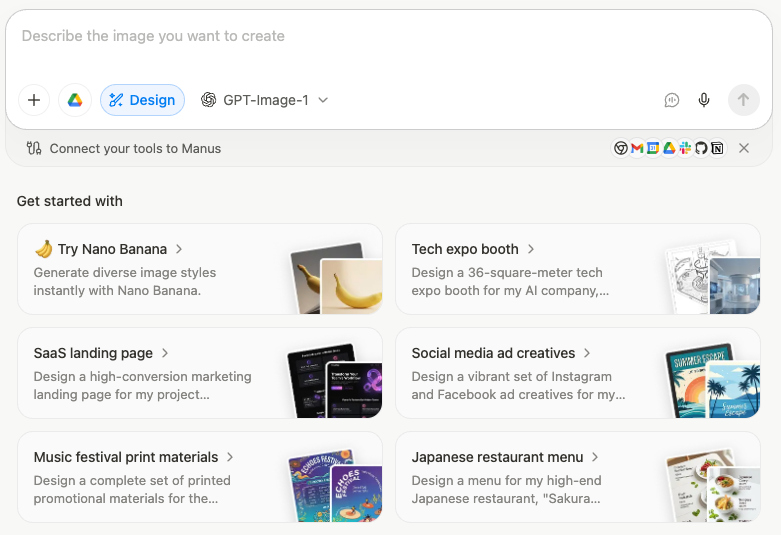
→ Create and Edit Images
Manus uses OpenAI's GPT-Image-1 and Google's top-of-the-line Nano Banana Pro model to create images.
Select "Design" to have Manus help with creative processes.
→ Use Data Visualization to Create Charts
Turn raw data into tables, graphics and charts.
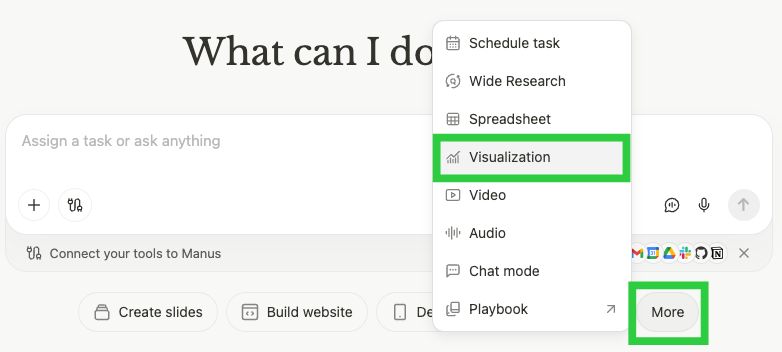
Manus has a wide range of options to pick from.
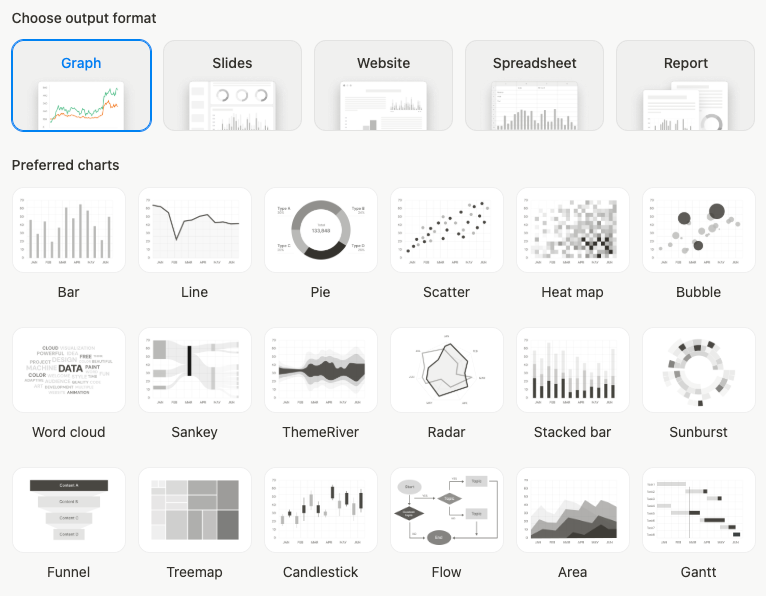
Pro Tip: Ask Manus "What story does this data tell?" It'll find hidden trends and anomalies for you.
→ Create Projects for Related Work
Just like in ChatGPT, Claude, and Gemini (Gems), you can create projects for ongoing work.
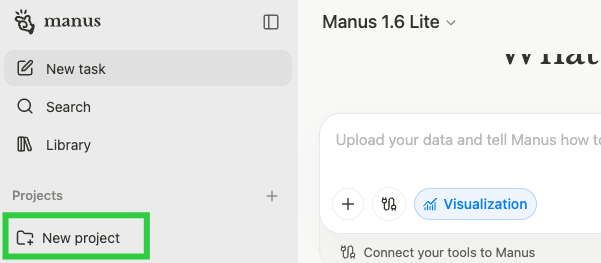
This is a great way to create custom instructions to use across chats.
They'll save you a lot of time re-explaining tasks through prompts.
→ Collaborate With Others
Use Manus Collab to work with your teammates in a shared workspace:
- Team members can view the task and prompt it directly
- See everyone's prompts and iterate together
→ Chain Steps Together
Create powerful automations by chaining different capabilities together.
Example
- Use wide research to pull info on competitors.
- Grant browser access to pull info from your dashboards.
- Use data analysis and visualization to create a report.
- Publish the report in Slack through the tool Connectors.
- Create a scheduled task to run the process every two weeks.
- Send an email to the team when the report is ready.
Now Get Started...
Manus is the most user-friendly agent tool out there.
Pick a task you're working on and try it out.
It could be using Manus for research or giving it access to your own data and tools to build something more personalized.
Start simple, then explore its features and see what adds value to your processes.
Want More Like This?
Get AI breakdowns for Non-Technical People: Subscribe
- Guide: How to Set Up Claude Code in <15 Minutes (for Beginners)
- Guide: How to Set Up Claude Skills in <15 Minutes (for Beginners)

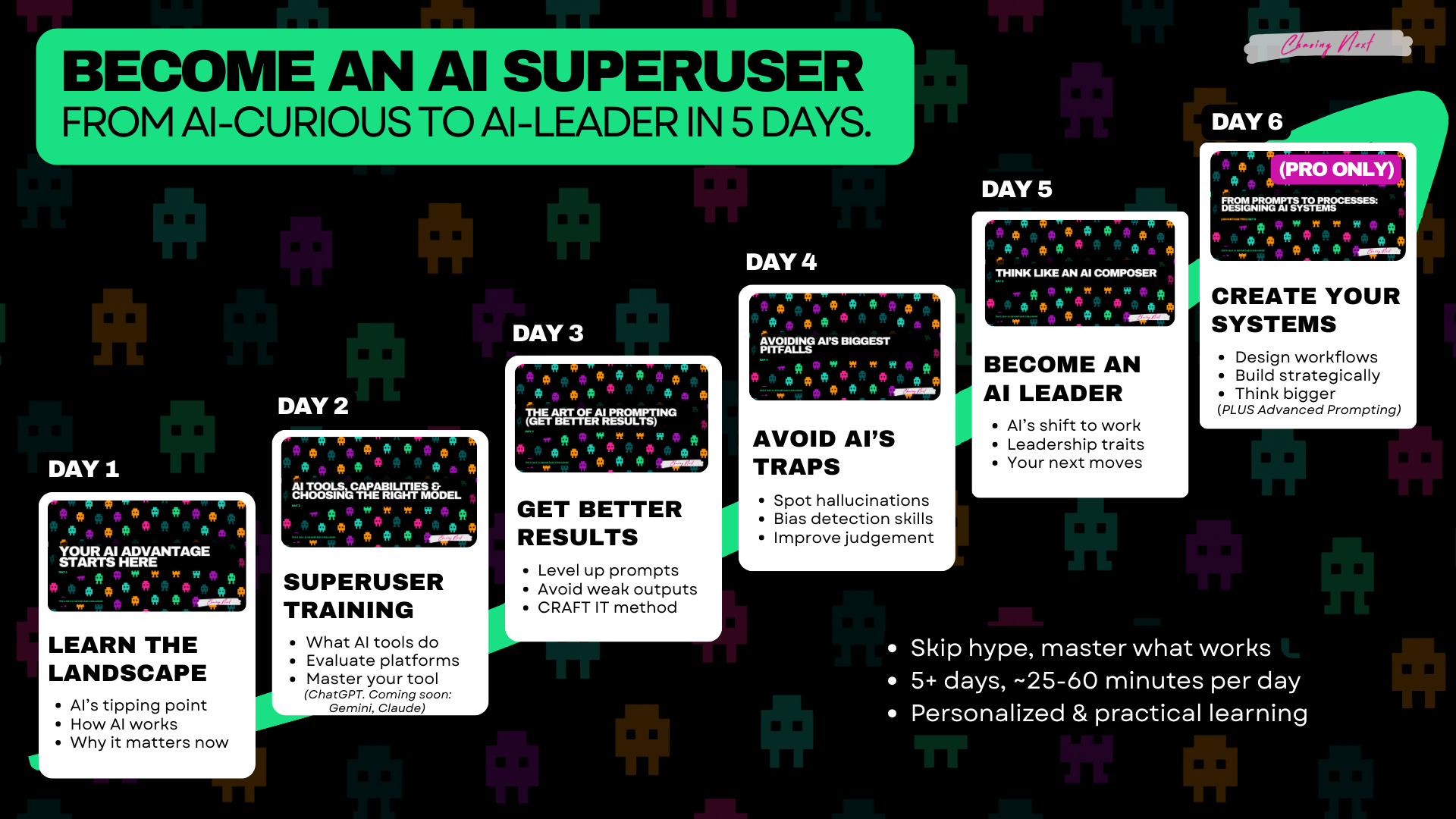
Not a subscriber yet? Join here for weekly insights on AI, strategy, and the changing workplace.
Found this useful? Forward it to a teammate who’s figuring out AI too.