How To Build a Compounding AI Operating System (as a Non-Technical Person)
My full setup: files, tools, and tactics for building an AI system that grows with you. Steal what you need.


There's a huge gap in AI content for non-technical people.
On one end, there's technical stuff that goes right over our heads. On the other, hype stuff that can be so surface-level and misguided it's insulting.
It's no wonder many of us struggle to see how AI can fit into our work.
We keep hearing about AI advancing - agents, tools, tactics, etc.
Most of what's circulating is theory, which makes it hard to understand the gains AI can bring today.
This article is my attempt to change that by showing you my working AI operating system.
It's one comprehensive example of a growing AI system and what is possible when you use AI beyond the chat window (plus it's full of tactics you may want to steal).
Here's my compounding setup:
The Foundation
My system has three core components. Every tactic I'll show you builds on these foundational pieces working together.
1. My File System:
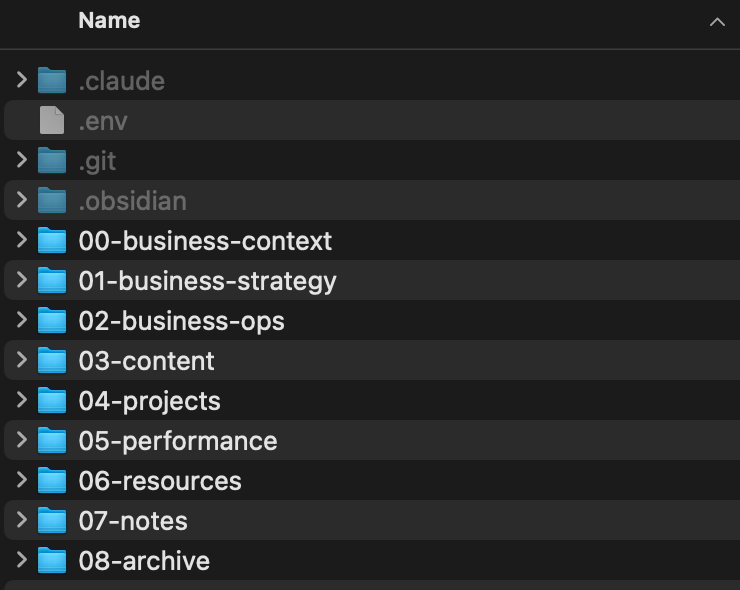
This is the most important element of the whole setup. You've heard that context is everything, and a file system is how AI can access all the info it needs on-demand.
My file system is a dedicated folder for AI work stored on iCloud. Everything I do with AI lives within this folder. It's constantly growing and evolving as I work.
Anything I want AI to know or access, anything it works on (and these days anything I work on) goes here.The more info it has, the more it can do... and ultimately the more capable it can become.
2. Claude Code:
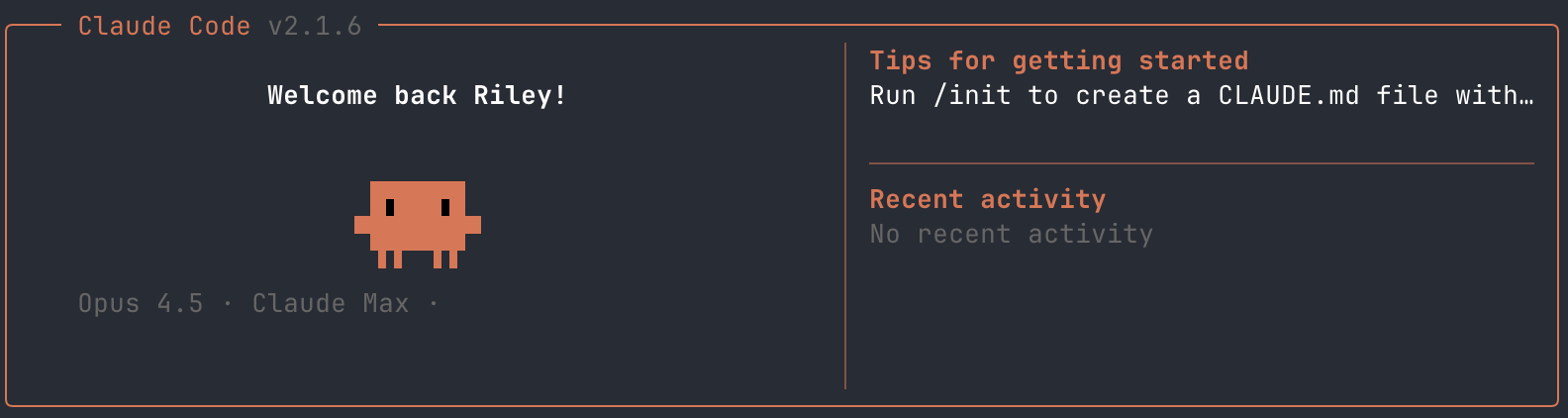
Claude Code is what makes my file system powerful. It's essentially the same as an AI chatbot, but with advanced abilities:
- Reads, creates, edits your folders and files
- Connects to tools and data feeds
- Implements and executes agentic processes
I'll go deeper into specific strategies later. For now, this is how I use AI to interact directly with my files without needing to upload them or copy-paste (like your standard chat interface). This looks like:
- "Read my customer discovery notes and help me uncover patterns"
- "Update my weekly tracker with today's actions and next steps"
- "Come up with content ideas related to projects we worked on last week"
I talk to it in Terminal (Ghostty), but you could use the desktop app if you like the interface better.
If you do light work, you can get by with the $20/month Pro plan (but will run into rate limits). Do anything substantial and you'll need the $100/month Max plan. Sounds expensive, but worth every dollar to me.
I have been testing ChatGPT Codex as well, which could be a similar alternative if you like their models or have their paid plan. Also worth mentioning Claude Cowork, which is a good way to start using AI with your files (it's not currently advanced enough to build out my full system).
If you're new to Claude Code, here's my setup guide:
 Riley
Riley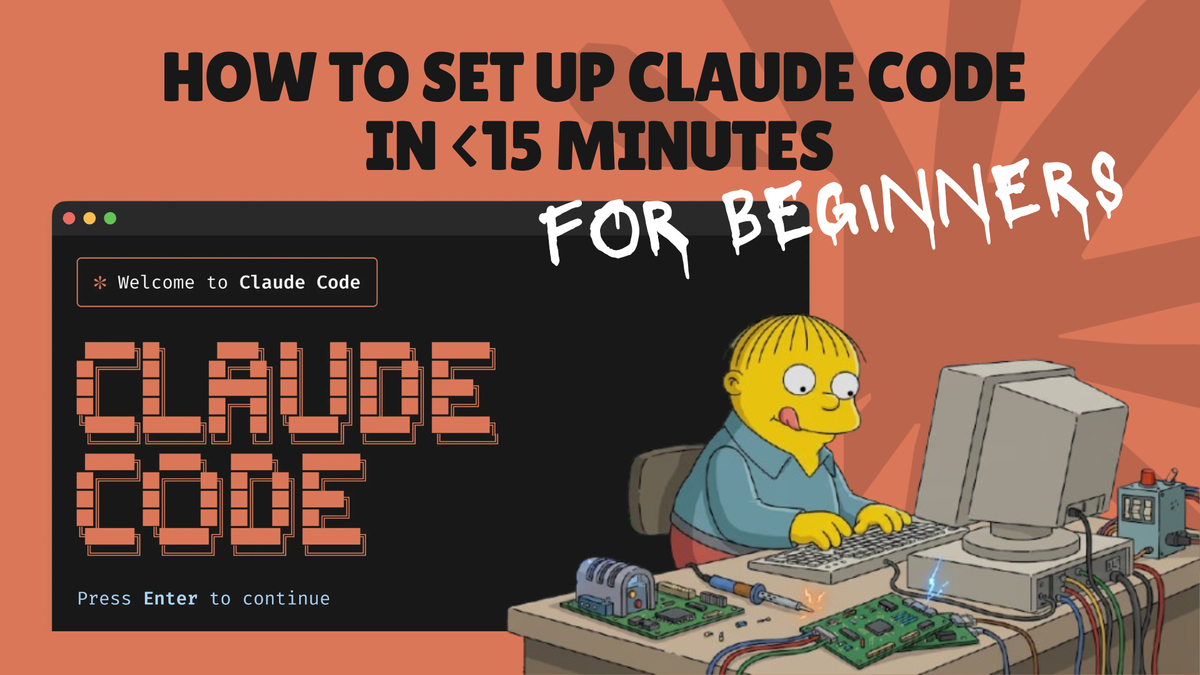
3. Obsidian:
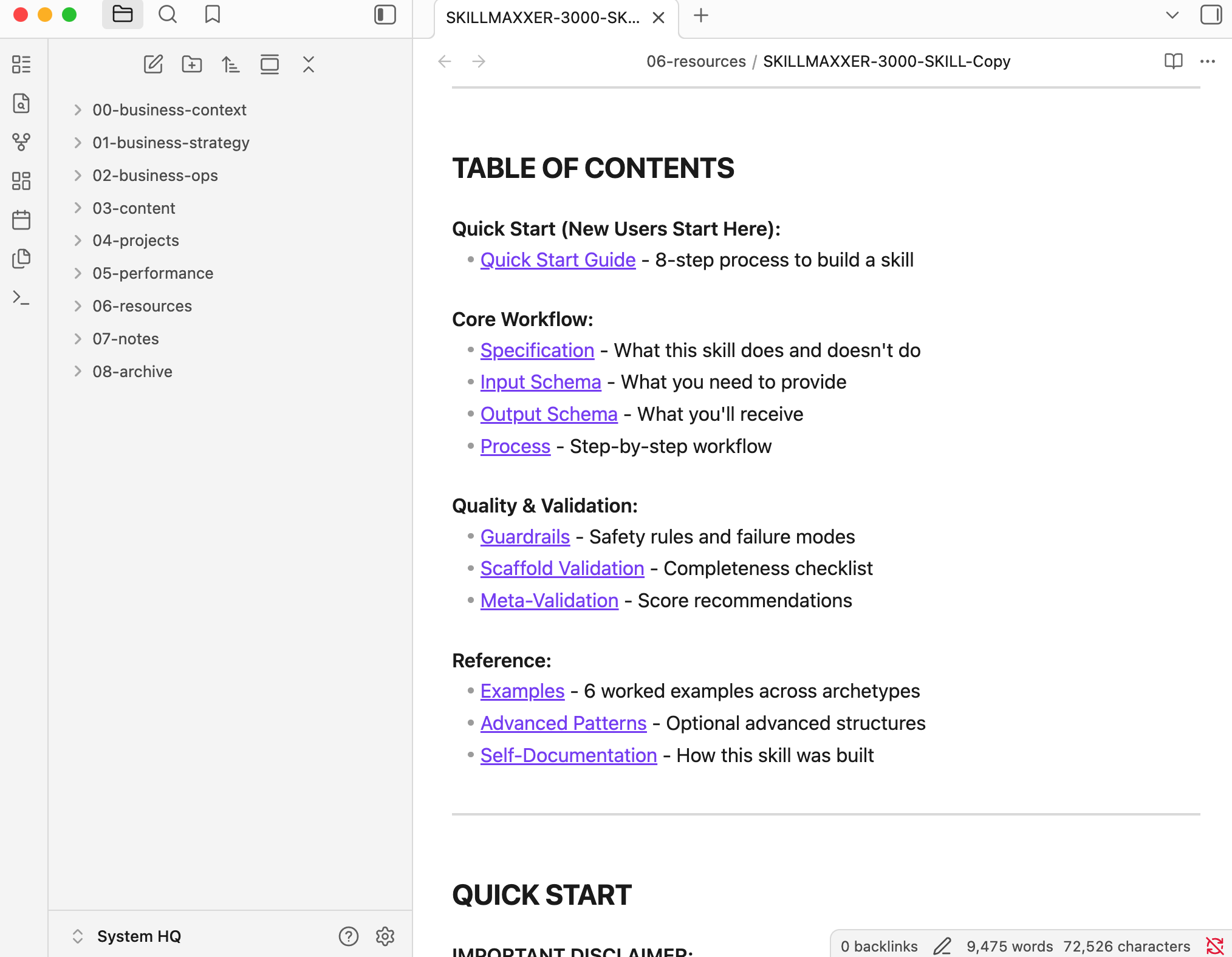
There are a lot of complex definitions of what Obsidian is... but to me, it's a way to see and edit documents I work on with AI.
There are alternatives (like using Cursor), but I like that Obsidian was easy to download, free, and no-frills. Plus, it autosaves doc edits (a big one).
Worth noting that an AI file system like this primarily uses markdown files (.md). These are the same file types Obsidian visualizes. Markdown files don't have fancy formatting like standard word docs, but you'll get over this quick.
Another plus about Obsidian is that you can pay $4/month for remote access.
Tactics That Make It Compound
As mentioned, the foundation above is the core of the system. These tactics are how I'm getting advanced outputs. These strategies keep the system growing, operationalized, and maintained.
Not exhaustive, but what I focus on to make AI (and me!) quicker and more capable for work.
1. System Instructions
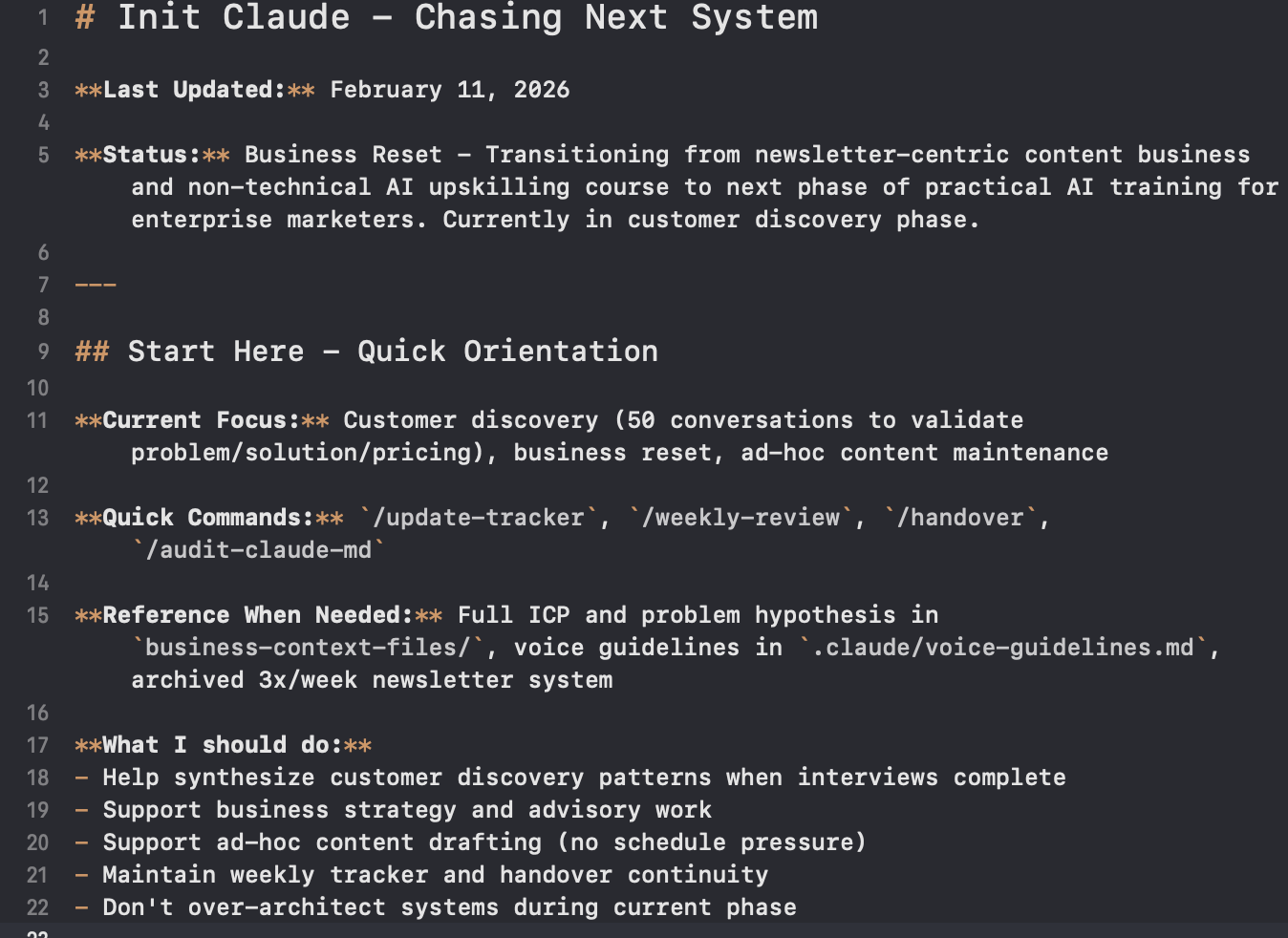
For Claude Code, system instructions are better known as CLAUDE.md. It's a file that Claude reads at the beginning of each new conversation and an opportunity for you tell it how to work with your system.
My goal is to give CLAUDE.md just enough info. Teach it what it should do, what capabilities it has, and where to go to get deeper info. Mine has:
- My current business focus, status, and high-level context (priorities)
- An overview of my file structure (where to find more info)
- Available commands and skills (how to execute my processes)
- General rules of working (to keep it on track)
Don't weigh it down! It'll ignore instructions and burn tokens. Instead, be concise and adjust it as your needs change.
Claude Code will help you set up CLAUDE.md. Run the "/init" command and it will scan your file contents to create this document. Once you do this, I highly recommend reviewing and adjusting it to better align with your work.
2. Context Files
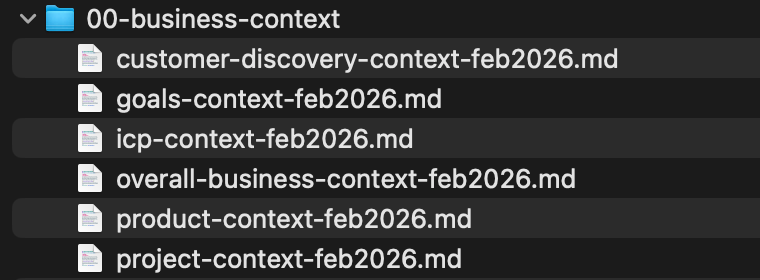
Context files are markdown documents that hold key information. Think things that you regularly tell AI or wish it inherently knew to provide better responses.
They can be details written as paragraphs, or more friendly AI formats like JSON or XML.
For me, I have info about my business, goals, products/pricing, customer segments, and more.
A few tricks I've found helpful when creating them:
- Using an AI browser to scan my website and create JSON files
- Having AI create a detailed context file by asking me critical questions
- Doing deep research or scanning existing resources to synthesize context
Another benefit of Context files is that they keep CLAUDE .md lean and avoid you cramming too much info and wasting tokens.
Include your context file location in your CLAUDE .md system instructions and it will automatically pull up the deeper relevant info when needed.
3. Session Recaps
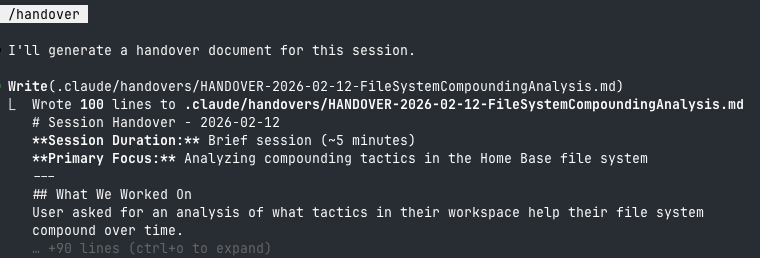
Saw this tip in this X post and setting up a /handover command been a game-changer.
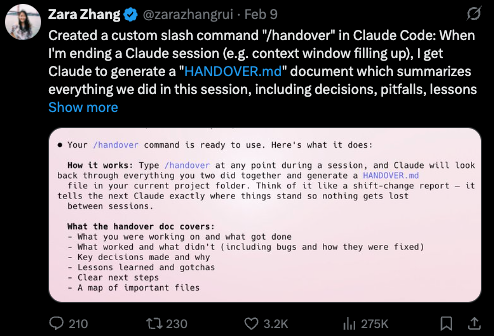
Without setting something like /handover set up, Claude Code loses context from each conversation - leaving you to constantly ask Claude to create notes files or worse (re-explaining yourself or losing key info).
I literally dropped the above post + image into Claude Code and asked it to build it, then made a few tweaks for my system. It was up and running in minutes.
To use it, I run "/handover" when I'm about to close each conversation. Then it creates a summary file of key info from the session - dated and saved in my handover folder.
I also added handover details into my CLAUDE.md file, so Claude instinctively knows to go there for ongoing or recent project info. With /handover I can ask:
- "Summarize what I've been working on this week and my open items"
- "Let's continue to work on the ICP project we were working on Monday"
- "Find workflows I've done manually 3+ times that should become Skills"
Bonus - I also set up a hook to automatically capture everything from a session when the chat window is about to compact mid-session (another way to avoid losing context).
4. Search
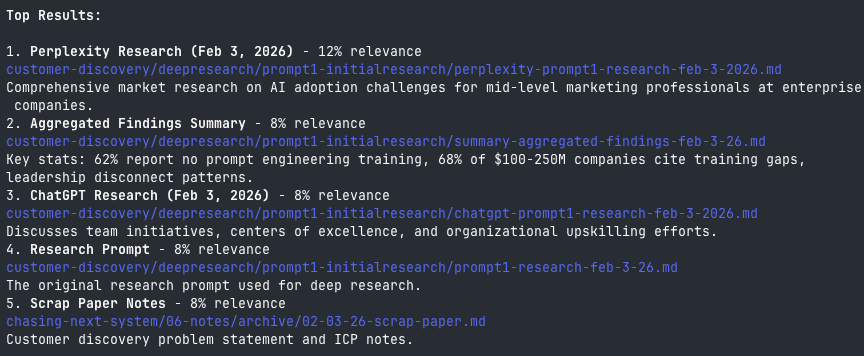
I could search my files the old-fashioned way... by keyword in Obsidian then telling AI to read a file or by having AI try to read everything (wasting a ton of tokens and missing relevant info).
But I've chosen not to rip my hair out and to install QMD instead (created by the Shopify CEO, Tobi Lutke)
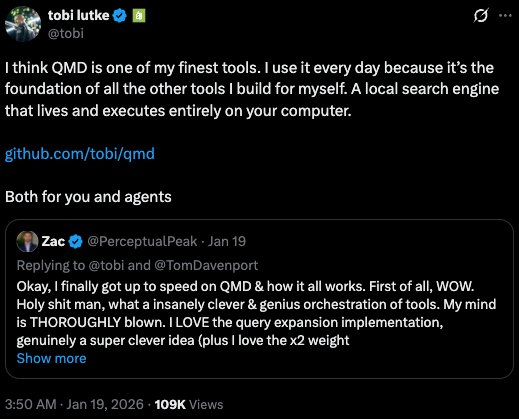
QMD is a local search engine that indexes all my markdown files and makes content easy to find and interact with.
Here are its three search modes (+ my example searches):
- Keyword: qmd query "What feedback did I get about pricing in calls?"
- Vector: qmd vsearch "How enterprise orgs struggle with AI adoption"
- Keyword + Vector + Ranking: qmd query "What language do customers use to describe their AI problems?"
Every week, I run "qmd update" and "qmd embed" commands (part of a larger weekly process - more on that below). QMD then goes through my content to build a searchable index by keywords and concepts.
This not only makes info easy to find and quicker, but it also makes content more interactive because it knows where to look for vague or question-based requests.
Plus it runs locally (with an open AI model - QWEN), so I don't have to worry about where my data is going.
5. System-Level Workflows (Commands)

Now we're getting to the fun stuff, where AI starts doing work.
Commands are ways I run routine processes on my file system.
That means things like:
- /handover: You learned about this session summary process above
- /weekly-review: Reads handovers from past 7 days & analyzes my week
- /format-discovery-notes: Synthesizes meeting notes into specific format
I use commands when a process is straightforward, and I need an exact output each time I execute it - these are regular tasks that don't need additional references or specific inputs from me to execute. It has access to the info it needs to run the process without me.
As usual, I have Claude help me set them up.
6. Reusable Workflows (Skills)
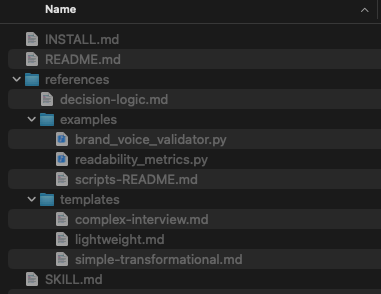
Skills are a step beyond commands.
Similarly, they can get work done, but they allow for more complexity and adaptability than commands.
They're a way to structure specialized simple or complex multi-step processes that adapt to your current situation and context.
Skills handle my core everyday processes.
What's cool about Skills is that I can add examples, reference files, decision logic (if/then), refinement, and grading to outputs (things I can't do as easily with commands).
Here are a few I use:
- /newsletter-researcher: Interviews me, writes Perplexity prompt, calls API
- /newsletter-formatter: Takes markdown drafts and puts them on my site
- /skillmaxxer-3000: My own skill-builder tool that builds advanced skills
If you're interested in creating advanced skills, I recommend checking this out. It asks you questions to build a skill with helpful architecture patterns the standard skill-builder doesn't use.
 Riley
Riley
7. Connect to Tools (APIs & MCPs)
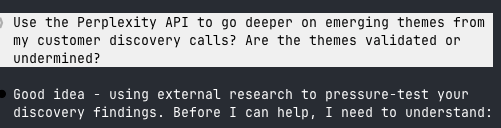
APIs and MCPs give me access to tools and info beyond what Claude can do and my file system.
Things like sourcing info, reading and updating data, completing actions on third-party tools, and more.
Most of today's digital tools have APIs or MCPs. That said, you may have to pay a small fee each time you use them (~$0.01 for many, also make sure to set usage limits so costs don't surprise you).
A few things I use APIs for:
- Pull research from Perplexity
- Publish content to my website (Ghost)
- Access information from X
If important info or steps live in a third-party tool, I recommend asking Claude to research if your tool has an API or MCP.
If it does, tell it to look at the API or MCP documentation and ask specifically if the API or MCP allows you to do exactly what you want.
If you're using Claude Code at a company, make sure you're adhering to security policies (APIs/MCPs you want may be blocked by your IT anyway).
8. Organization
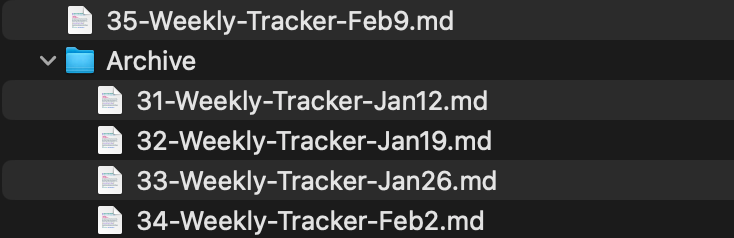
For this to work well, I use my file system as my main workspace.
I save all my weekly notes, to-do lists, and project documents here. This way AI has nearly a full view of what I'm working on.
Once again, the more info it has, the better my outputs are.
It's important to keep my system organized with specific structure for where AI puts things and how they're named.
QMD and handoffs make finding info easier, but knowing where things live keeps me sane (and able to find files in Obsidian as needed).
When AI does put things in the wrong place, have it correct the placement or move it manually and let AI know what you did (sometimes moving a file manually can break connected commands or skills).
9. Ruthless Auditing
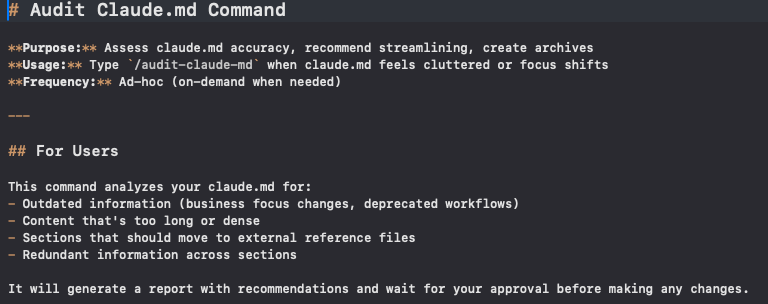
On a similar note to organization, I make sure to get rid of old info as this can kill outputs.
- Move files I don't use to "archive" folders
- Update Skills and Commands so they meet my current needs
- Regularly review CLAUDE.md and context files so they're up to date
When I notice things getting messy, I create commands and skills to help me stay organized.
Here's what I created:
- /audit-claude-md: Reviews system instructions to keep updated & lean
- /skill-tracker: Audits/archives/logs Skills so Claude knows what to use
- Commands that automatically archive old files
10. Backup & Remote Access (GitHub)
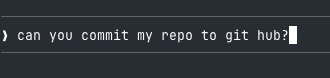
This one sounds scarier than it is.
GitHub is where my file system lives remotely. It's cloud storage that tracks the changes made each time you update it.
This way, back ups are stored in case something goes wrong and I can use Claude Code through the mobile and browser apps.
In order to use GitHub, you'll need to create an account (free) and set up a dedicated Git repository (think project) for your file system. Make sure your repository is set to private, or anyone will be able to see it.
Claude Code will walk you through set up, connecting your account, and pushing content (a manual step to keep the repository files fresh).
Note if you end up editing your file system through the Claude Code mobile or browser apps, you'll need to pull the latest versions from GitHub to make sure your updates appear on your computer too.
11. Combine Routine Processes
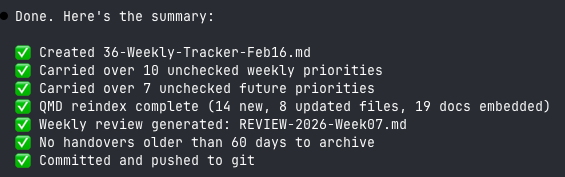
Everything that I've said sounds like a lot (and it is), but my secret to keeping my system running is a /weekly-update command.
When I run this, it initiates all the important workflows I want to maintain:
- Creates a new weekly notes/to-do list and carries over unfinished items
- Archives last week's notes/to-do list
- Updates QMD for search
- Updates my skill inventory log
- Generates my weekly review based on my handovers
- Archives handovers older than 60 days
- Commits my file system to Git
Any routine process that doesn't require my input goes into this master command.
I always remember to run it because I need my next week's to-do list template created.
This way, I don't have to execute each thing that keeps my system running individually (a recipe for disaster).
12. Not Over-Architecting
This one is easier said than done. I find it's easy to overbuild by creating skills, commands, and custom dashboards for everything.
Processes change, AI models do too. I try to avoid spending time on stuff I won't use after a week or two.
In some cases, it's still worth building for experimentation. But mainly try to build things I know will bring more value than the time it takes to create.
Learned this one the hard way: Even with AI, good things take longer to build than I think they will.
The Payoff
My system requires effort, but it totally changed how I work.
The upfront set-up is worth the backend returns.
All of my content is now interactive. Claude knows exactly where to find info for any project. It can see summaries from old sessions, tap into third-party tools, and run structured workflows to save me time.
Instead of manually steering everything, I can lean on AI's full capabilities and I focus on getting the higher-order work done.
Where to Start:
If this sounds cool, but you're starting from scratch, keep it simple.
You don't need to dive into everything at once. This type of system is built over time. My advice:
- Start with the foundation: The three core pieces I mentioned above (your file system, Claude Code, Obsidian). Get them running
- Add on tactics when it makes sense: This is just a list of what is working for me. Your system might turn out totally different.
- Grow it as you go: Once again, don't over-engineer your system. It's easy to start building more than you need.
And if you want to ignore me and go full send... Copy this entire article into Claude Code, turn on plan mode, and ask it to help you build out a similar system.
Happy compounding!